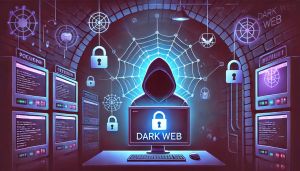

Browsing the dark web can arouse a lot of curiosity because of its aura of mystery and the sensitive information found there. However, it is essential to know that, without proper precautions, it can be a treacherous ground, full of potential dangers for privacy and security. This guide will explain how to access and browse the dark web safely, reducing the risks of compromising your data or falling victim to scams and cyberattacks.
What is the Dark Web?
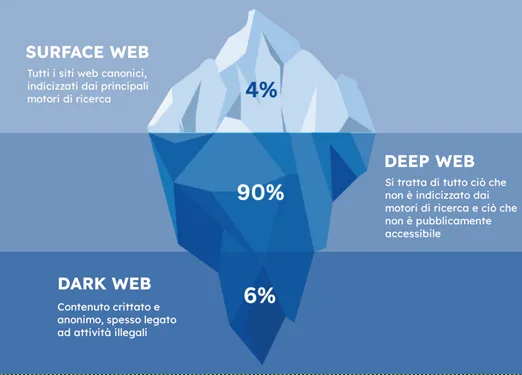
The dark web is a hidden part of the internet, not indexed by traditional search engines such as Google. To access it, you need to use specific software, such as the Tor browser, which offers anonymity and allows you to view content accessible only through encrypted connections.
On the one hand, the dark web hosts legal forums and markets or platforms for freedom of expression in repressive regimes, but on the other, it is also the refuge of cybercriminals and sellers of illegal information.
If you are wondering whether the use of the Tor browser and access to the dark web are legal, the answer is yes: they are perfectly legal.
In fact, Tor was created by the US Naval Research Laboratory, with the purpose of protecting the communications of the US secret services. To this day, it is still heavily funded by several US Federal Agencies (which is why some users distrust the real level of anonymity offered by the protocol).
Preparing Before Accessing: VPN and VM
Before starting navigation, it is essential to strengthen the security of your device.
What we describe below is not necessarily an indispensable configuration: to access the dark web it would be enough to use the Tor browser, without the need for further precautions or tools. However, we show you here what our approach to browsing the dark web is, able to guarantee us a high level of security and not put our privacy or our devices at risk in any case.
Use a Quality VPN
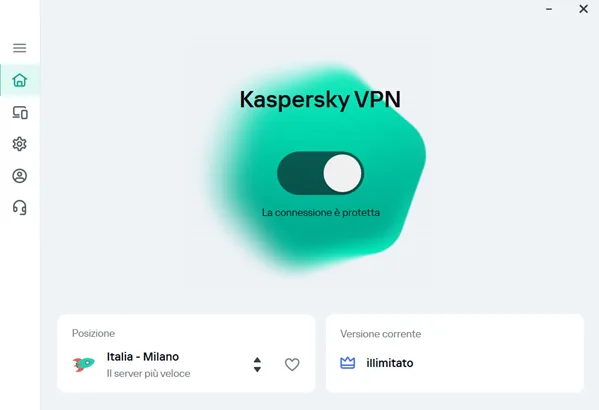
The VPN (Virtual Private Network) is the first layer of protection. This tool hides your real IP address, masking your location and online identity. It is essential to choose a reliable, no-log VPN with advanced encryption, to prevent your traffic from being traced.
Avoid relying on free VPN services since, very often, they are not secure enough and may even be a threat themselves, as we explain in our in-depth analysis.
The VPN software will run directly on your computer and will prevent anyone from seeing your IP address and your actual geolocation.
Prepare a virtual environment
Not using your own device directly to access certain environments is definitely a very wise choice. Prepare a Virtual Machine (VM), installing an operating system of your choice, such as Kali Linux or Ubuntu, through a virtualization software such as VirtualBox or VMWare.
If you do not know how to proceed, you can follow our guide (for VirtualBox).
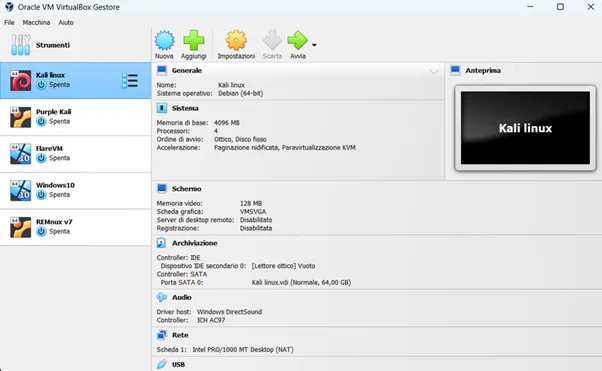
In this way, we will be able to perform all our operations in an isolated and protected environment, without putting our device at risk, which will also allow us greater freedom in interacting with the websites and files we need to analyze.
Use the Tor Browser
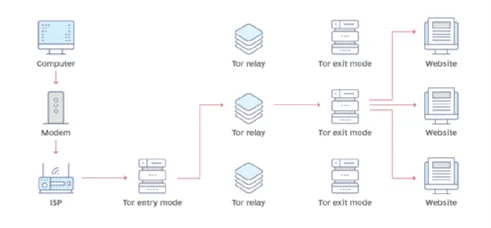
Tor is the main browser to access the dark web. Using Tor, online communications are routed through a network of servers that voluntarily participate in the project and are scattered all over the world. These devices are also called "nodes" or "relays" and form a network of tunnels inside which the connection is bounced. This process, called "onion routing," encrypts the data at each step, making it extremely difficult to trace the origin of the information.
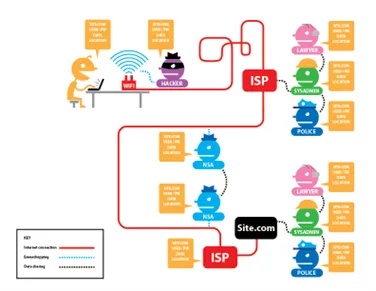
Download it from the official website to make sure it is free of malware.
Update the Operating System and Antivirus
Lastly, since it requires minimal effort, let us make sure the operating system, antivirus software, and firewall are updated. The “guest” virtual machine is not completely isolated from the “host” system (always remember that perfectly secure systems do not exist), so it is better to have every type of protection at our disposal.
Additional Optional Precautions
If you want to be even more cautious, here are a couple of other excellent practices that can be adopted to minimize risks almost completely.
We do not use this approach, since it would limit some browser functionalities and thus our activities, but of course we leave the final decision to you, based on your objectives.
Disable JavaScript in the Tor Browser
JavaScript can expose vulnerabilities in your system. Disabling it in the Tor browser settings will protect you from exploits or web-based attacks.
Use the Tails Operating System
If you want to maximize your security, install the Tails operating system on a USB stick, a live OS based on Linux designed to guarantee anonymity and security. Tails leaves no traces on the computer you are using and runs only from RAM, deleting the data at reboot.
Browsing the Dark Web
If you have followed all the steps, you are now ready to navigate even in the roughest waters!
The last piece of advice we prefer not to take for granted is not to provide personal information under any circumstances. Most of the sites you will browse will ask you to register: do not use your personal email address. You can decide to use temporary emails such as 10 Minute Mail, but they are often recognized and blocked (yes, even criminals have security systems!). The advice is to create an anonymous email through providers such as ProtonMail or TutaMail.
Here we are, what are you waiting for? Run the VPN, start the VM, run Tor, and dive into the Dark Web!
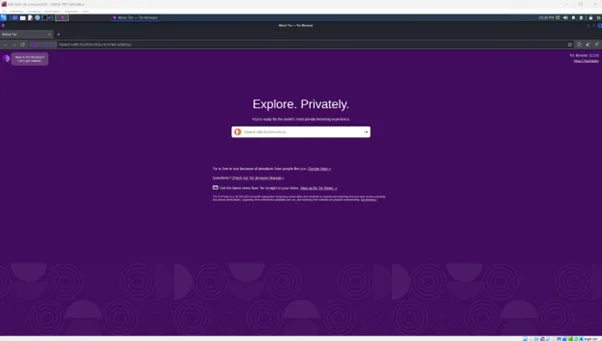
To browse the Dark Web you will need to know the .onion addresses of the sites you want to reach, which are not indexed by search engines.
To orient yourself and explore, we suggest you start from this list of resources, which is already quite exhaustive on its own:
- The Hidden Wiki: a sort of homepage of the dark web, from which you can access a wide range of non-indexed websites, divided into categories. Link.
- Top 5 Underground and Dark Web Forum you have to know: our article where we present 5 very popular forums among cybercriminals, within which you can find important resources such as data breaches and the sale of exfiltrated credentials.
- DeepDarkCTI on GitHub: a curated and constantly updated list of the main .onion sites of interest for Cyber Threat Intelligence teams. Link.
How to Use the Dark Web for CTI
Monitoring the Dark Web is fundamental in the activities of a Threat Intelligence team, in order to:
• Monitor Ransomware Group channels: to detect possible compromises and data leaks that could impact your organization directly or indirectly, through the Supply Chain.
• Monitor underground and dark web forums, where collections of exfiltrated credentials are frequently shared or direct accesses to organizations’ infrastructures are sold.
In this example, we access via Tor the .onion domain of the BlackBasta group, one of the most sophisticated and organized Threat Actors around.
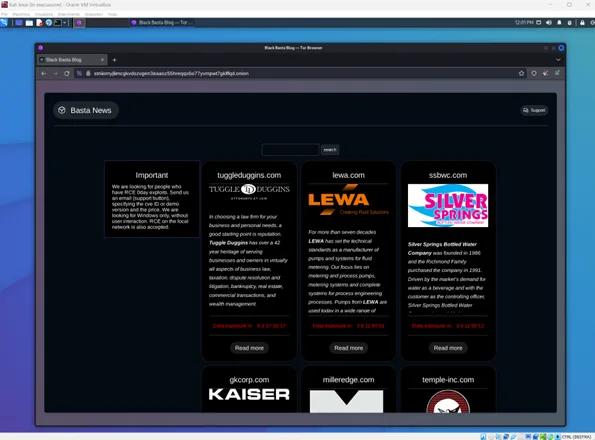
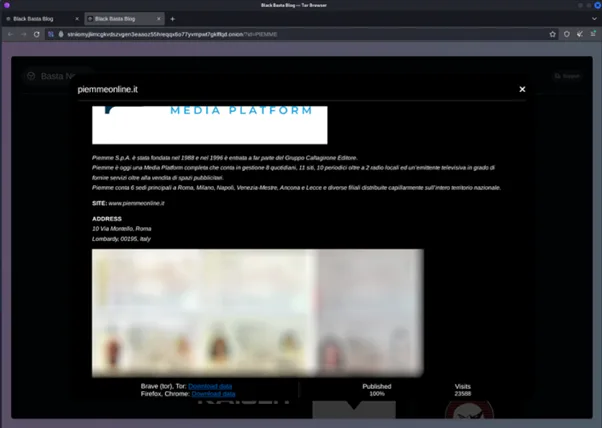
Inside the site we can see a long list of organizations, all compromised by the group’s proprietary ransomware. We can also filter by a specific domain or organization. In this case, we filter by “.it” to view all Italian companies present:
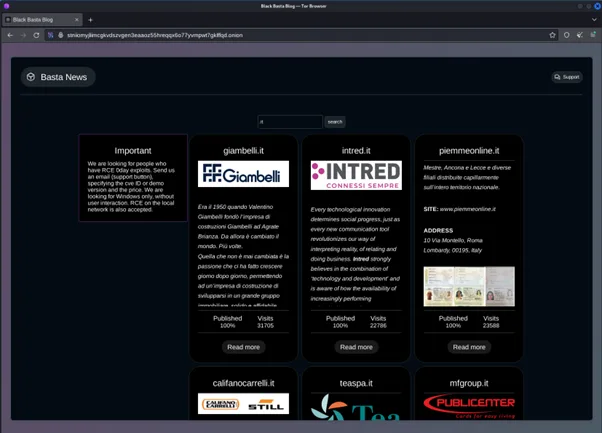
By choosing an organization from the list, we can see a preview of the data that the threat actor stole from the victim, within which appear identity documents of those we can suppose to be employees. Even though they are published in the clear, for privacy reasons we prefer to show them censored:
This is just a small example of everything that can be collected. It is up to your organization to understand how best to implement all the available resources, to improve its security posture.
Security First
Browsing the dark web requires a lot of attention and a series of security measures to protect your identity and your data. By following this guide, you can access the dark web while minimizing risks and staying safe. However, always keep in mind that, despite all precautions, real dangers exist and the best advice is to act with caution and awareness.
Browsing the dark web safely is possible, but never let your guard down!